
Expertise vs. Data Clerking
Expertise is judgement: deciding what the numbers mean and what to do about them. Data clerking is moving, formatting and checking information that already exists. Clients pay for the first. When experts do the second, the cost is real, large and rarely itemised.

Clients pay for judgement. They do not pay for formatting a report or moving a file between systems. Yet in most expert teams, a surprising share of the week goes on exactly that, because the work arrives as one job and nobody separates the two. This article draws the line between expertise and clerking, gives a simple test for telling them apart, and explains why the second one costs more than it looks.
01. Where the line sits
Expertise needs knowledge of the client, the field or the situation. Clerking needs only care and time. The same deliverable usually contains both.
| Expertise | Clerking |
|---|---|
| Deciding what the results mean | Formatting the results into a template |
| Choosing what to recommend | Copying figures from one system into another |
| Reviewing a draft for accuracy and sense | Checking that copied numbers match their source |
| Advising a client on a decision | Chasing documents and approvals |
| Handling an exception | Reconciling the same data held in two places |
Nothing on the right is difficult. That is the point. It is work that does not need the person doing it to be an expert, and it is usually done by one.
02. A simple test
Three questions separate the two for most tasks:
- If the data moved by itself, would the task still be needed? If not, it was clerking.
- Does it need knowledge of this client or this field? If not, it is probably clerking.
- If it goes wrong, is the error one of judgement or of typing? A typing error points to clerking.
If the data moved by itself and the task disappeared, it was clerking. Tasks that survive all three questions are the ones clients are paying for.
03. Why clerking is expensive when experts do it
The cost of clerking is not the typing. It is the expert hour the typing displaces. Four costs are rarely itemised:
- Time at the expert’s rate. An hour spent formatting is an hour not spent advising.
- Attention. Small tasks interrupt larger ones, and returning to the larger one takes time.
- Delay. Work waits for someone to finish the copying before it can move on.
- Copy errors. Every manual move of the same figure is a chance for a mistake that someone must later find.
There is also a quieter cost. People trained to exercise judgement spend part of every week on work that does not use it. Few teams measure this, and fewer put a number on it. For a simple way to give it a ballpark figure, see where billable hours actually go.
04. Why it persists
Clerking survives for three reasons. Each task is small, so it never looks worth fixing. The tasks arrive inside a larger job, so nobody lists them separately. And the tools a team uses rarely connect, so a person becomes the connection.
Owners often describe it as “part of the job”. It is part of the job as currently done. It is not part of what the client is buying.
05. What to do with the line
Draw it for your own team.
- For one week, ask each person to note what they do, in a line each.
- Mark every line E for expertise or C for clerking, using the three questions above.
- Look at the C column. Which tasks repeat most often? Which sit inside the most important deliverables?
- Pick one recurring task, not the biggest one, and ask whether it needs a person at all.
The aim is not to remove every clerking task, and it is certainly not to remove people. The expert’s review stays. The aim is to stop the expert’s time being the thing that connects one system to another.
06. What changes when the clerking is connected
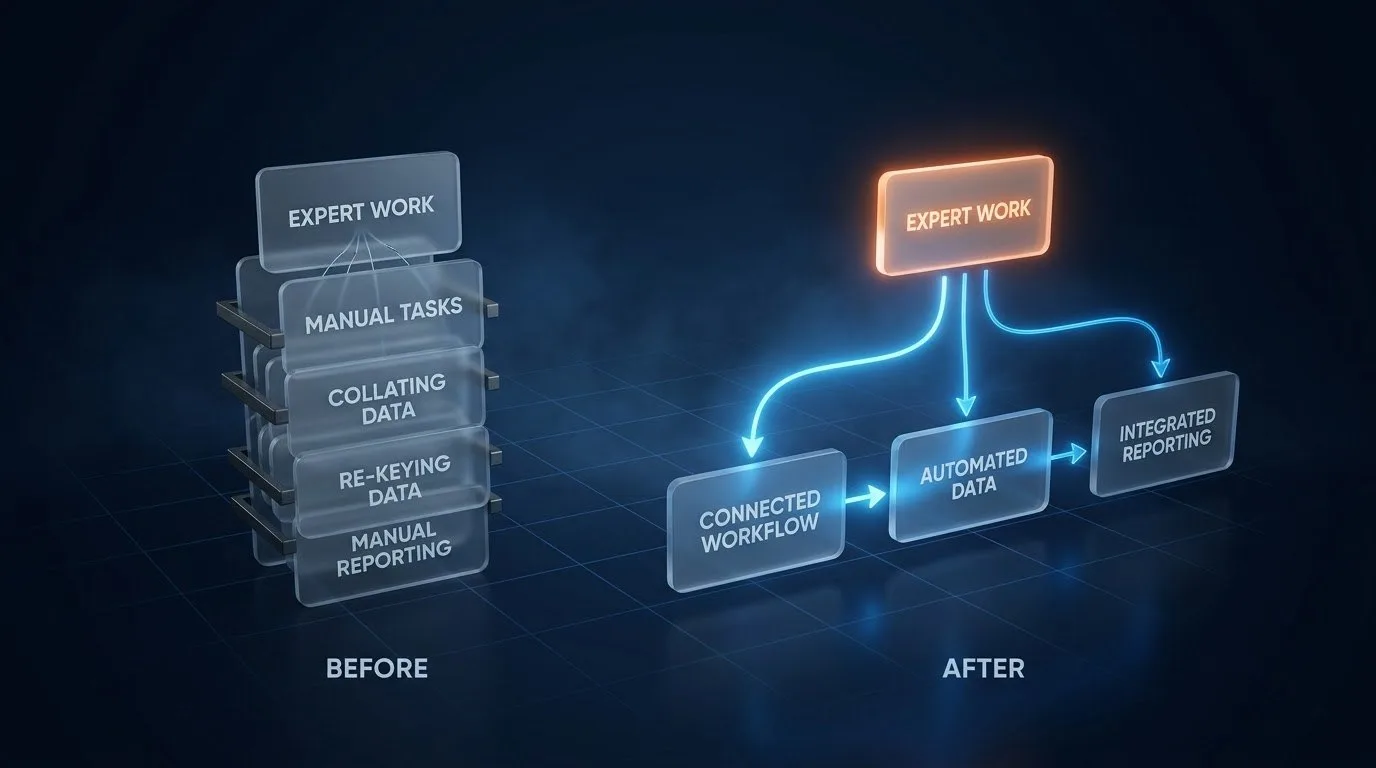
When the moving, formatting and chasing are handled by a connected workflow, the expert’s contribution moves to where it belongs: reviewing, deciding and advising. Work reaches them ready to be judged rather than ready to be assembled. For how that works in practice, see how it works.
07. Frequently asked questions
What is the difference between expertise and data clerking?
Expertise is judgement that needs knowledge of the client or the field. Clerking is moving, formatting or checking information that already exists.
How can I tell whether a task is clerking?
Ask whether it would still be needed if the data moved by itself, whether it needs knowledge of this client or field, and whether an error would be one of typing rather than judgement.
Is removing clerking the same as removing people?
No. The expert’s review and judgement stay. What goes is the manual moving and formatting around them.
Why does clerking cost more when experts do it?
Because the cost is the expert hour it displaces, along with interruptions, delays and copy errors that are rarely itemised.
Related: The “just this one file” syndrome
08. Next step
See what a connected workflow looks like in practice. What we build →